Nous collectons en continu les données des véhicules, des collaborateurs et des actifs, les transformons en informations exploitables et optimisons ainsi vos opérations.
Collecter
Des contrôleurs collectent en toute sécurité les données de vos actifs grâce à:
Suivi des véhicules
Badges RFID
Détection des actifs
Suivi de l'utilisation
GPS et capteurs G
Capteurs et entrées sur mesure
Gérer
Transformez les données opérationnelles en analyses exploitables grâce à une plateforme centrale couvrant:
Les collaborateurs
La planification
La flotte
Les actifs
Le suivi de la conformité
Le tracing
Automatiser
Utilisez les données collectées pour optimiser:
Reporting de paie
Frais du personnel
Enregistrement du temps
Heures supplémentaires
Exports de paie
Pointage au travail
Avantages
SyncTrace centralise toutes les données opérationnelles de vos véhicules, collaborateurs, machines et chantiers sur une seule plateforme connectée.
Visibilité
Automatisation
Conformité
Contrôle
Découvrez-en plus
Prêt à explorer notre application en profondeur ? Contactez-nous pour une démo, demandez plus d’informations ou plongez dans nos analyses détaillées.
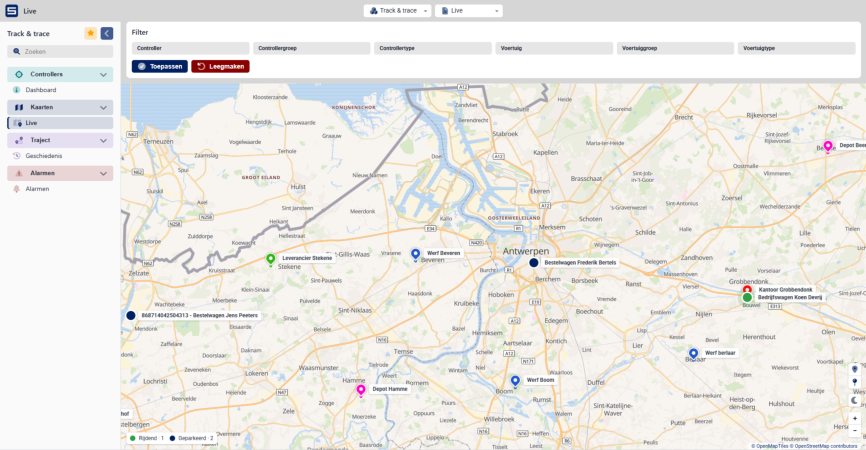
See where every vehicle and machine is right now, on one live map. Each one shows its current address, speed and nearest site, so you can answer a customer, redirect a team or locate a machine without making a single phone call.
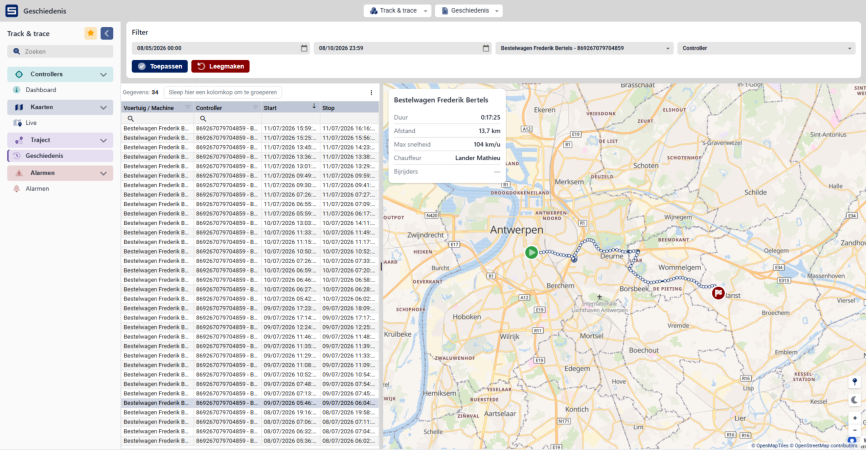
Look up any past trip of a vehicle or machine and see the route on the map, with start and stop time, distance, top speed and who was driving. So when a customer disputes an arrival time or a fine comes in, you have the answer in seconds.
Trip history per vehicle
Route, distance and top speed
See who was driving at each moment and with which vehicle.
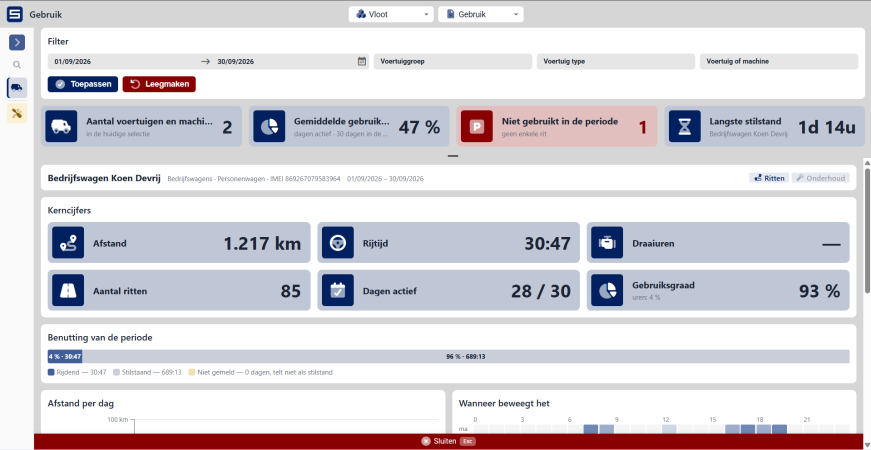
Keep every vehicle and machine in one overview, with its mileage, operating hours and current status. See how much each one is really used and how long it stands idle, and which maintenance is due, based on kilometres, operating hours or date.
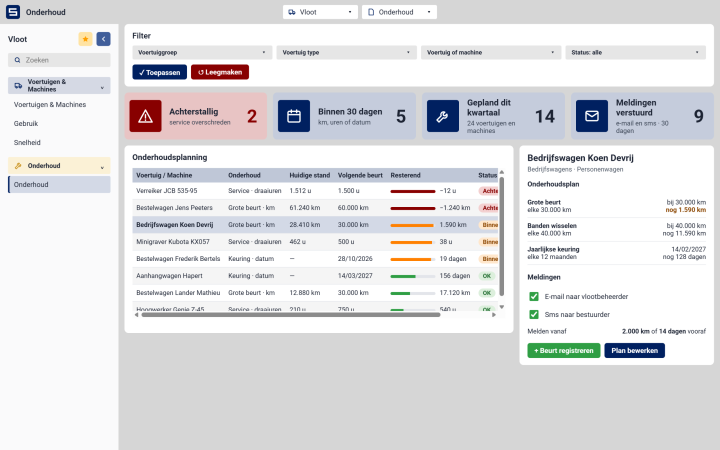
Set a maintenance schedule once, by kilometres, operating hours or date. SyncTrace counts along with every vehicle and machine and warns you by e-mail or SMS when a service is due
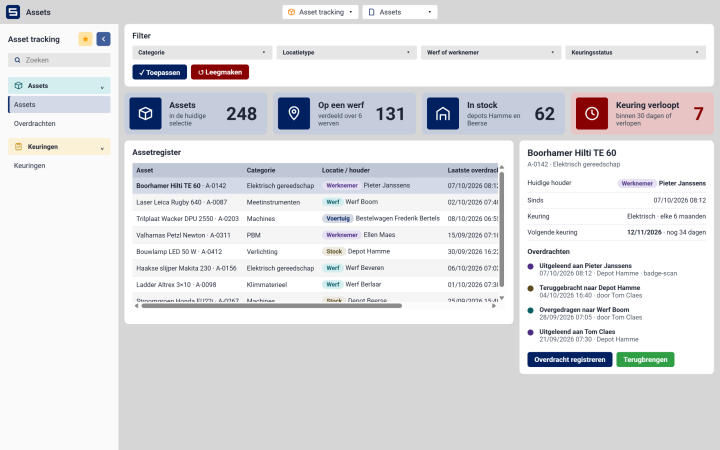
Know where your equipment is and who has it. Every item is on a site, with an employee, in a vehicle or in stock, and each handover from one person to the next is recorded. Inspections are scheduled per item, and you get a warning before one expires.
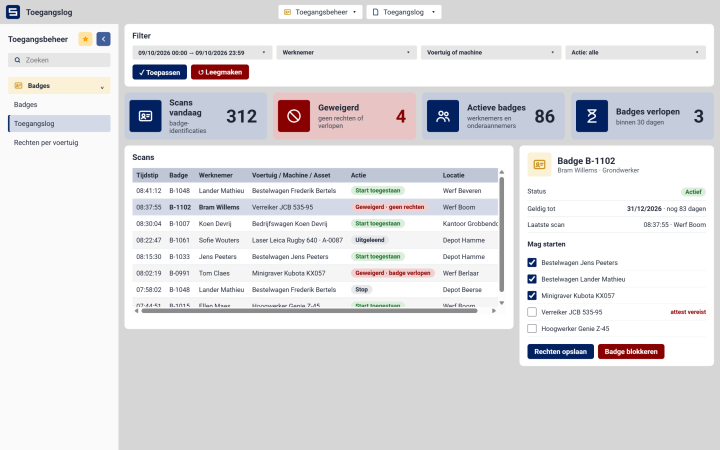
Ensure only authorised employees can access vehicles, machinery or operational assets. By linking permissions to employee identification, SyncTrace improves security, safety and accountability across your organisation.
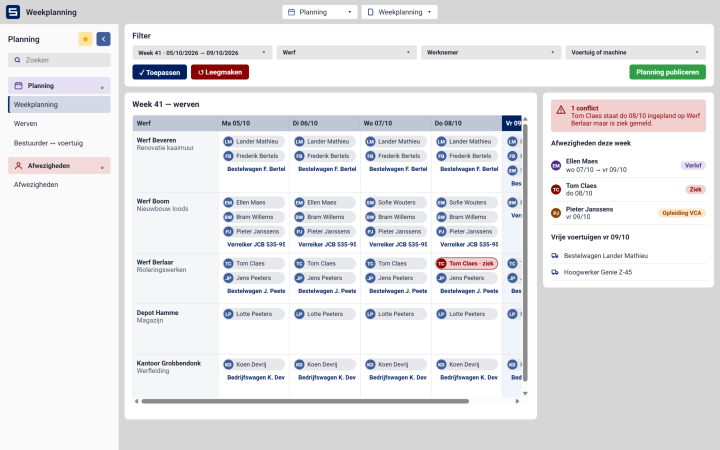
Plan employees, vehicles and operational resources from a single platform. Create efficient schedules, allocate the right resources to the right jobs and maintain visibility across your workforce.
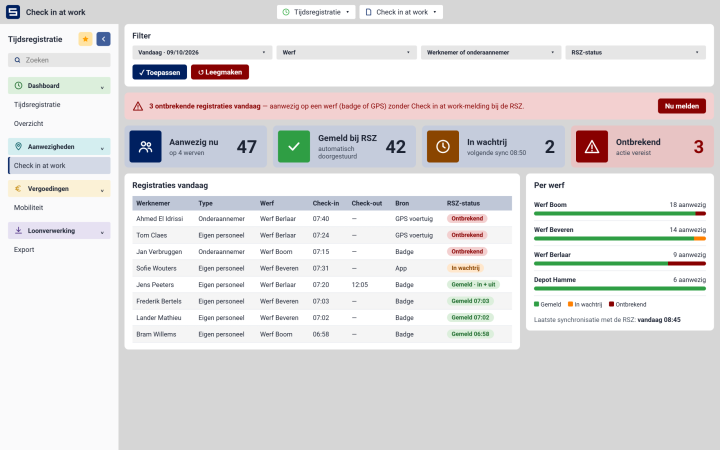
Register your employees’ presence on site and have each check-in and check-out reported to the RSZ. One overview shows who is on which site today and where a registration is missing, so you can correct it before an inspector asks.
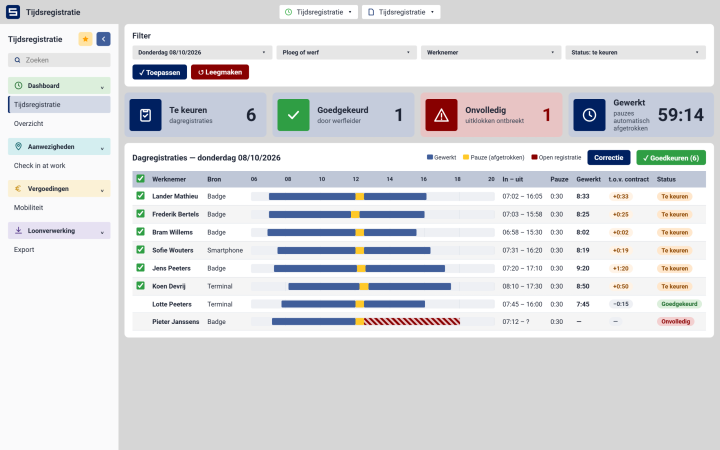
Time registration starts with a badge, on whatever device suits your business. From there everything runs by itself: hours are calculated, breaks deducted and each day is put ready for approval.
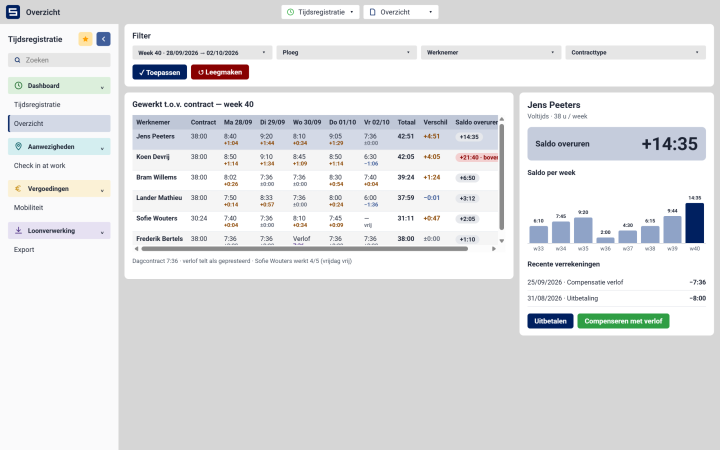
Every day is compared with the hours an employee is contracted for. Extra hours go onto their overtime balance; time taken off or paid out comes off it. You always know what each person has built up, and you can show them exactly why.
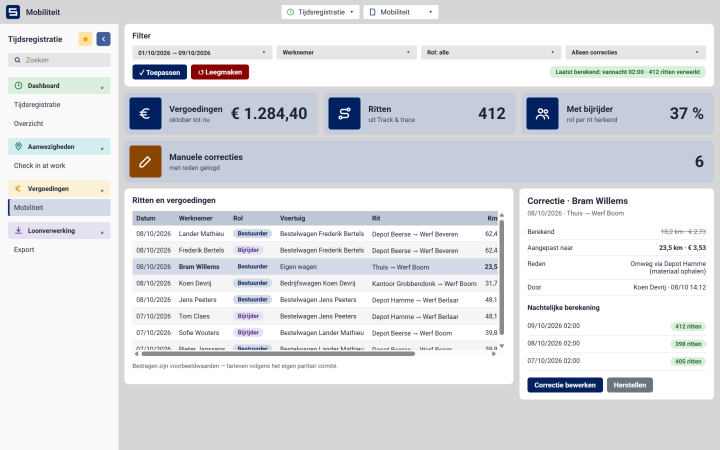
Simplify the management of mobility allowances, travel expenses and other workforce-related reimbursements. Automatically link expense calculations to operational data, reducing manual work and administrative errors.
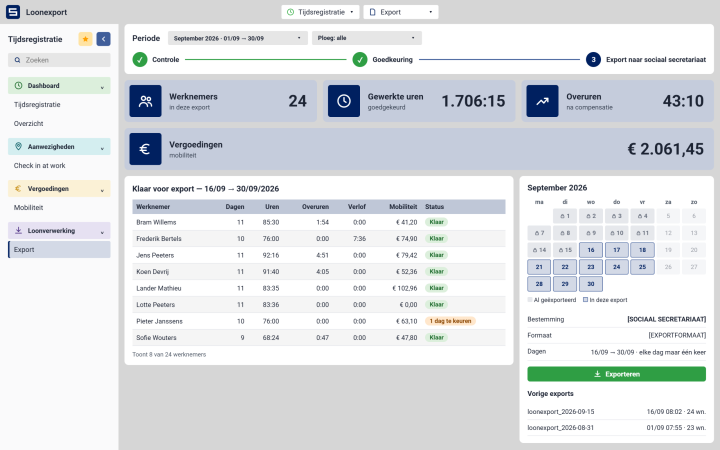
Your employees badge, SyncTrace does the rest. Hours, overtime and allowances are already calculated by the time you open the screen. You check and confirm, and everything is ready to go to your social secretariat, fully compliant with their requirements.