Sync Every Process.

Trace Every Asset.

Ontdek onze modules

Klik op een module om de functies te bekijken en te ontdekken hoe ze uw workflows kan verbeteren.

Untitled-1

Tracking

Tracing

Wagenparkbeheer

Onderhoud

Assets

Toegangscontrole

Personeelsplanning

Aanmelden op het werk

Tijdsregistratie

Werkuren & overuren

Onkosten personeel

Loonadministratie

Process

We verzamelen continu gegevens van voertuigen, medewerkers en assets, zetten die om in bruikbare informatie en stroomlijnen zo uw werking.

Verzamelen

Controllers verzamelen veilig gegevens van uw assets via:

Voertuigtracking

RFID-badges

Assetdetectie

Gebruiksmonitoring

GPS & G-sensoren

Specifieke sensoren & inputs

Beheren

Zet operationele gegevens om in bruikbare inzichten via een centraal platform voor:

Medewerkers

Planning

Wagenpark

Assets

Compliance-opvolging

Tracing

Automatiseren

Gebruik de verzamelde gegevens om het volgende te stroomlijnen:

Looneenheidrapportering

Onkosten personeel

Tijdsregistratie

Overuren

Loonexports

Check in at work

Voordelen

SyncTrace centraliseert alle operationele gegevens van uw voertuigen, medewerkers, machines en werven in één verbonden platform.

Zichtbaarheid

Automatisering

Compliance

Controle

Ontdek meer

Klaar om onze applicatie grondig te verkennen? Neem contact op voor een demo, vraag meer informatie aan of duik in onze uitgebreide inzichten.

Contact us

+32 3 295 17 00

Palieterdreef 53

2280 Grobbendonk

Belgium

hello@blueit.eu

Module information

Tracking

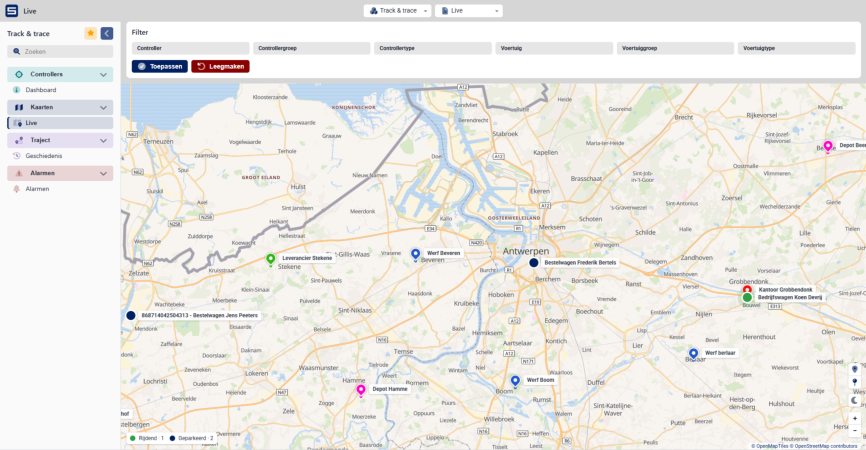
See where every vehicle and machine is right now, on one live map. Each one shows its current address, speed and nearest site, so you can answer a customer, redirect a team or locate a machine without making a single phone call.

  • Live map of your whole fleet
  • Speed and driver per vehicle
  • Filter by group or type
01 · Tracking (real screenshot)@2x

Module information

Tracing

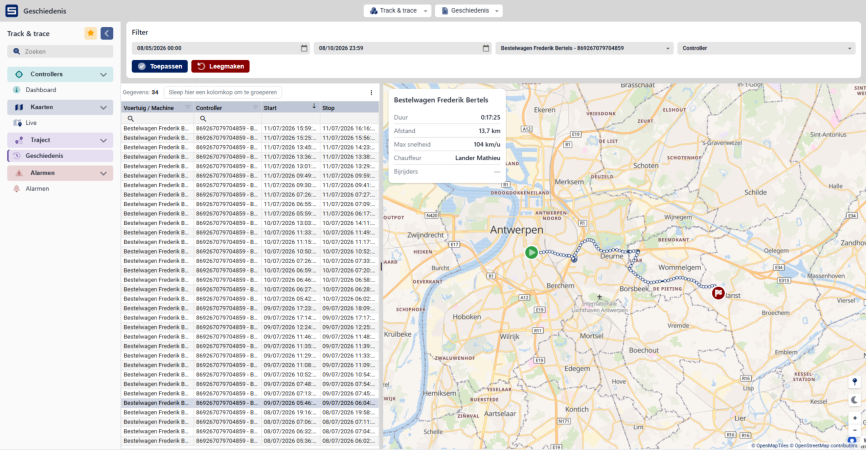
Look up any past trip of a vehicle or machine and see the route on the map, with start and stop time, distance, top speed and who was driving. So when a customer disputes an arrival time or a fine comes in, you have the answer in seconds.


  • Trip history per vehicle
  • Route, distance and top speed
  • See who was driving at each moment and with which vehicle.
02 · Tracing (real screenshot)@2x

Module information

Fleet Management

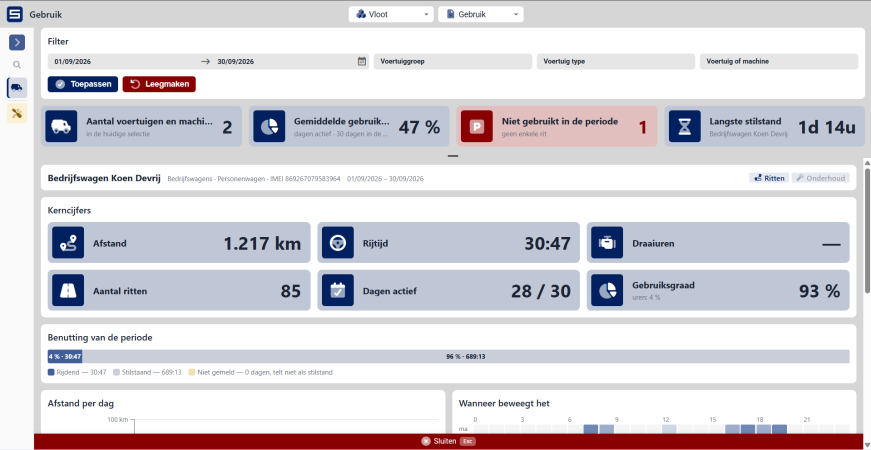
Keep every vehicle and machine in one overview, with its mileage, operating hours and current status. See how much each one is really used and how long it stands idle, and which maintenance is due, based on kilometres, operating hours or date.


  • Overview of every vehicle and machine
  • Mileage and operating hours
  • Usage and idle time
Fleet 1

Module information

Maintenance

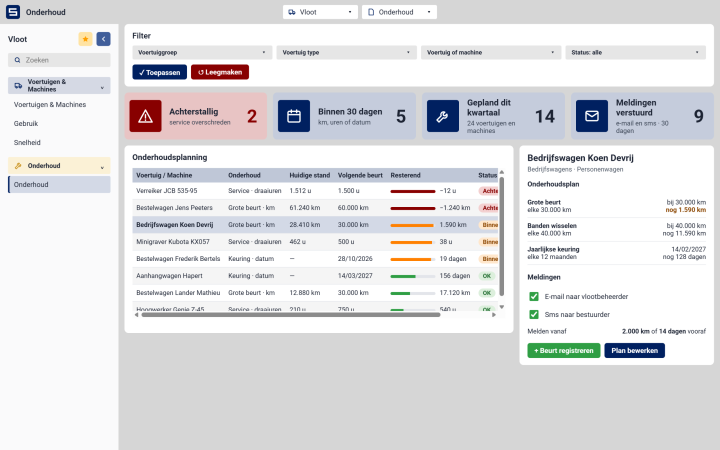
Set a maintenance schedule once, by kilometres, operating hours or date. SyncTrace counts along with every vehicle and machine and warns you by e-mail or SMS when a service is due


  • By kilometres, hours or date
  • Status per vehicle
  • Alerts by e-mail or SMS
04 · Maintenance@2x

Module information

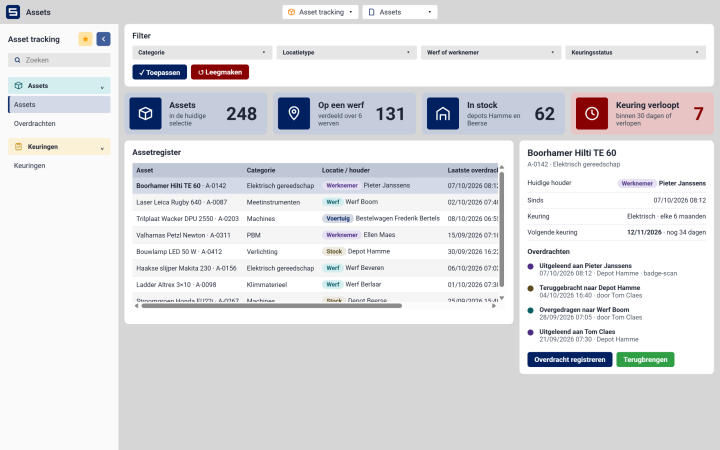
Assets

Know where your equipment is and who has it. Every item is on a site, with an employee, in a vehicle or in stock, and each handover from one person to the next is recorded. Inspections are scheduled per item, and you get a warning before one expires.


  • Who has which item
  • Lending and returns logged
  • Inspection reminders
05 · Assets@2x

Module information

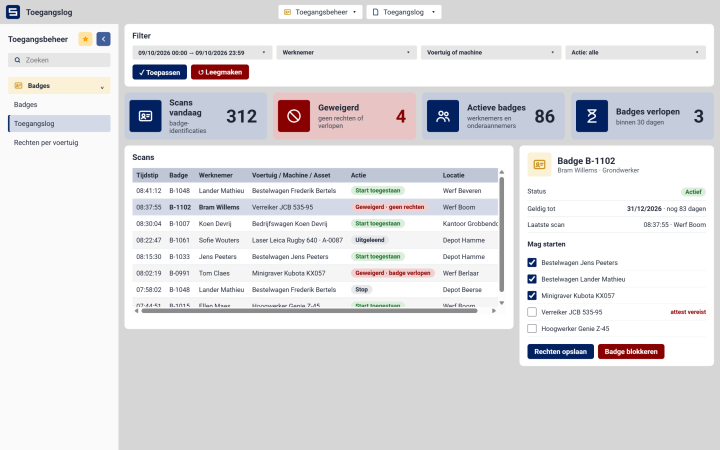
Access Control

Ensure only authorised employees can access vehicles, machinery or operational assets. By linking permissions to employee identification, SyncTrace improves security, safety and accountability across your organisation.


  • Log of every badge scan
  • Only authorised drivers can start a vehicle
  • Badge access with an expiry date
06 · Access control@2x

Module information

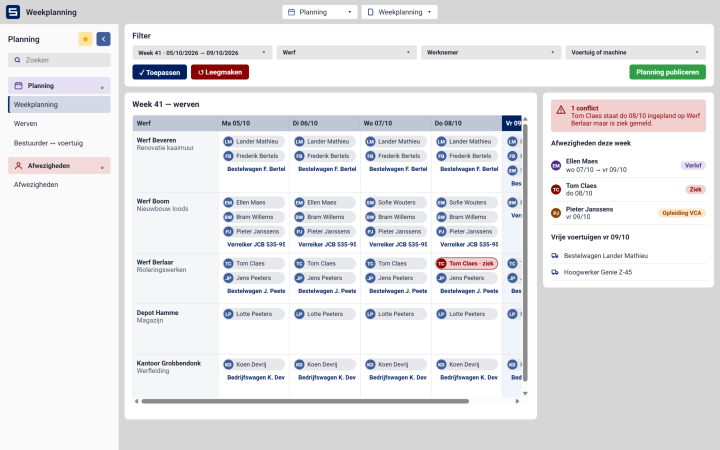
Workforce Planning

Plan employees, vehicles and operational resources from a single platform. Create efficient schedules, allocate the right resources to the right jobs and maintain visibility across your workforce.


  • Plan who works on which site
  • Assign drivers to vehicles and machines
  • Your whole team in one planning
  • Manage abscences
07 · Workforce Planning@2x

Module information

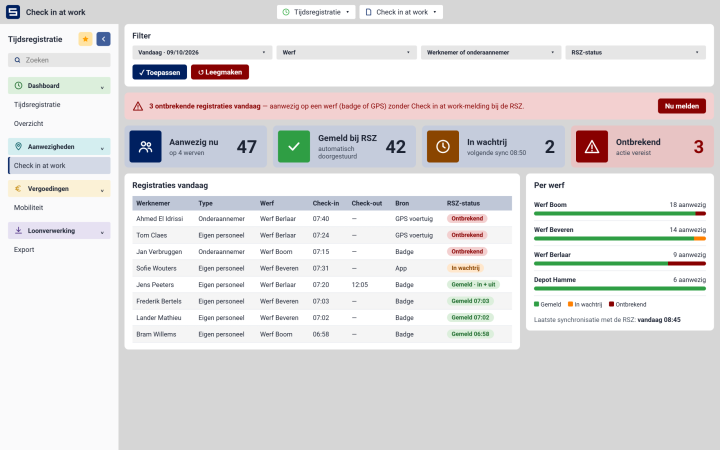
Check In At Work

Register your employees’ presence on site and have each check-in and check-out reported to the RSZ. One overview shows who is on which site today and where a registration is missing, so you can correct it before an inspector asks.


  • Automatic reporting to the RSZ
  • Who is on which site today
  • Missing check-ins flagged
08 · Check in at work@2x

Module information

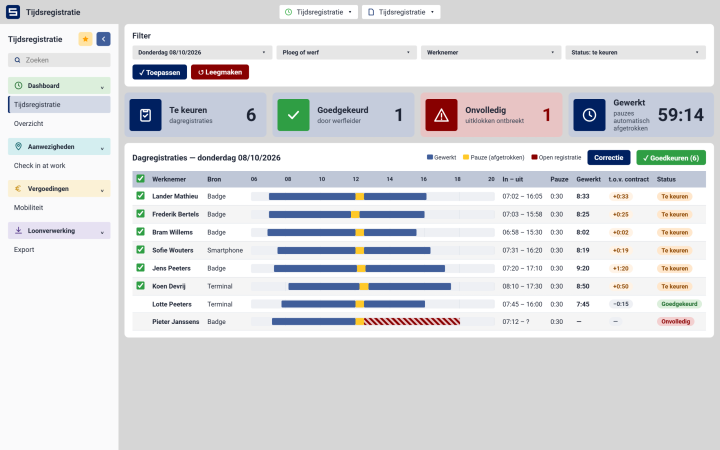
Time Registration

Time registration starts with a badge, on whatever device suits your business. From there everything runs by itself: hours are calculated, breaks deducted and each day is put ready for approval.


  • Badge in, hours calculated
  • Breaks deducted automatically
  • Check and approve per day
09 · Time Registration@2x

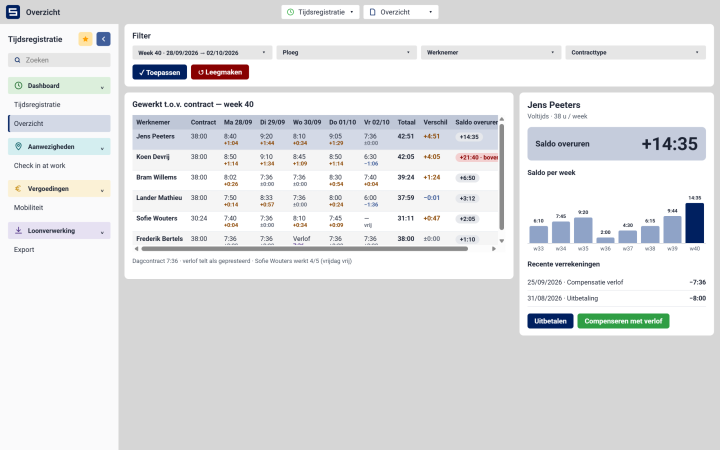
Module information

Working Hours & Overtime

Every day is compared with the hours an employee is contracted for. Extra hours go onto their overtime balance; time taken off or paid out comes off it. You always know what each person has built up, and you can show them exactly why.


  • Contracted hours per weekday
10 · Working Hours & Overtime@2x

Module information

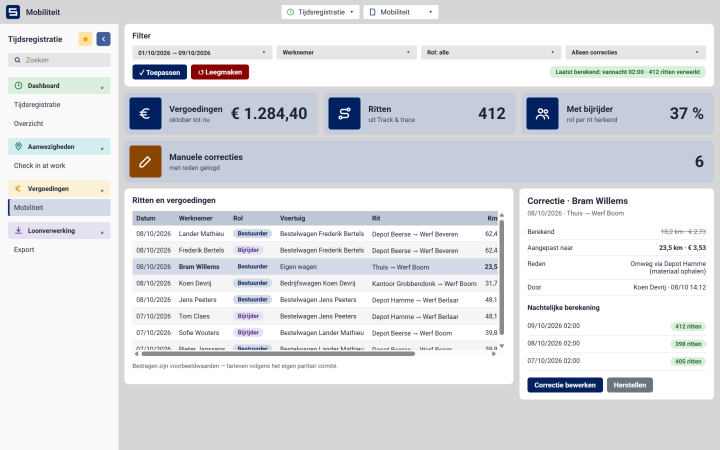
Staff Expenses

Simplify the management of mobility allowances, travel expenses and other workforce-related reimbursements. Automatically link expense calculations to operational data, reducing manual work and administrative errors.


  • Mobility allowance calculated every night
  • Driver or passenger per trip
  • Manual corrections possible
11 · Staff Expenses@2x

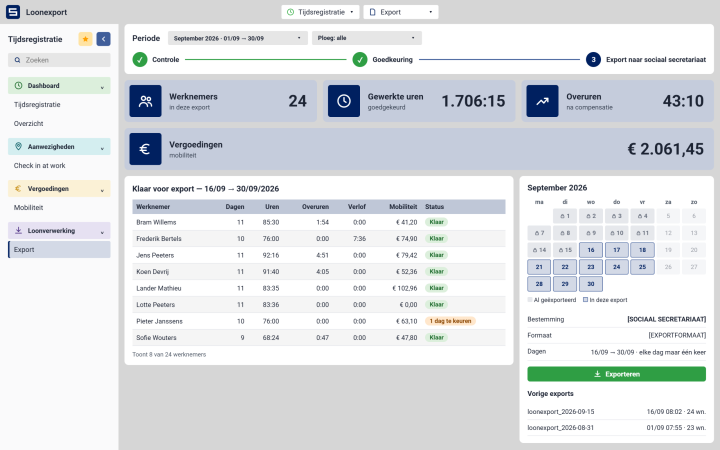
Module information

Payroll

Your employees badge, SyncTrace does the rest. Hours, overtime and allowances are already calculated by the time you open the screen. You check and confirm, and everything is ready to go to your social secretariat, fully compliant with their requirements.


 

  • Export file for your social secretariat
  • Hours and allowances included
  • Each day exported only once
12 · Payroll@2x

Contact us

+32 3 295 17 00

Palieterdreef 53

2280 Grobbendonk

Belgium

hello@blueit.eu

Explore SyncTrace for your business

+32 3 295 17 00

Palieterdreef 53

2280 Grobbendonk

Belgium

hello@blueit.eu

Contact us

+32 3 295 17 00

Palieterdreef 53

2280 Grobbendonk

Belgium

hello@blueit.eu

Contact us

+32 3 295 17 00

Palieterdreef 53

2280 Grobbendonk

Belgium

hello@blueit.eu

Contact us

+32 3 295 17 00

Palieterdreef 53

2280 Grobbendonk

Belgium

hello@blueit.eu

Contact us

+32 3 295 17 00

Palieterdreef 53

2280 Grobbendonk

Belgium

hello@blueit.eu

Contact us

+32 3 295 17 00

Palieterdreef 53

2280 Grobbendonk

Belgium

hello@blueit.eu